

Mehmet Karataş LogoMehmet Karataş
HomeServicesProjectsBlogAboutFunToolsCourses (TR)
Contact
Mehmet Karataş LogoMehmet Karataş

Contact

I build solutions with modern web and mobile technologies.

Contact
benmuhendisiniz@gmail.com

Diyarbakır, Türkiye — Remote services across Türkiye and abroad

Quick links

  • Home
  • Services
  • Projects
  • Blog
  • About
  • Contact
  • Fun
  • Tools
  • Courses (TR)
  • CV / Résumé (TR)

Services

  • Web Development
  • Mobile App Development
  • Custom Software Development
  • E-Commerce Websites
  • SEO and Online Visibility
  • Software and Project Consulting

© 2026 Mehmet Karataş. All rights reserved.

Privacy noticeCookie policy
HomeProjectsBlogServicesAboutFunToolsCourses (TR)

FROM IDEA TO FIRST DRAFT

Prompt library.

Back to discovery

Find a starting point that fits your needs. Review the prompt, add your own information and try it in your AI tool.

  1. 01 Choose for your goal
  2. 02 Make the text your own
  3. 03 Copy and try

Preparing filters…

1 prompts

How to use
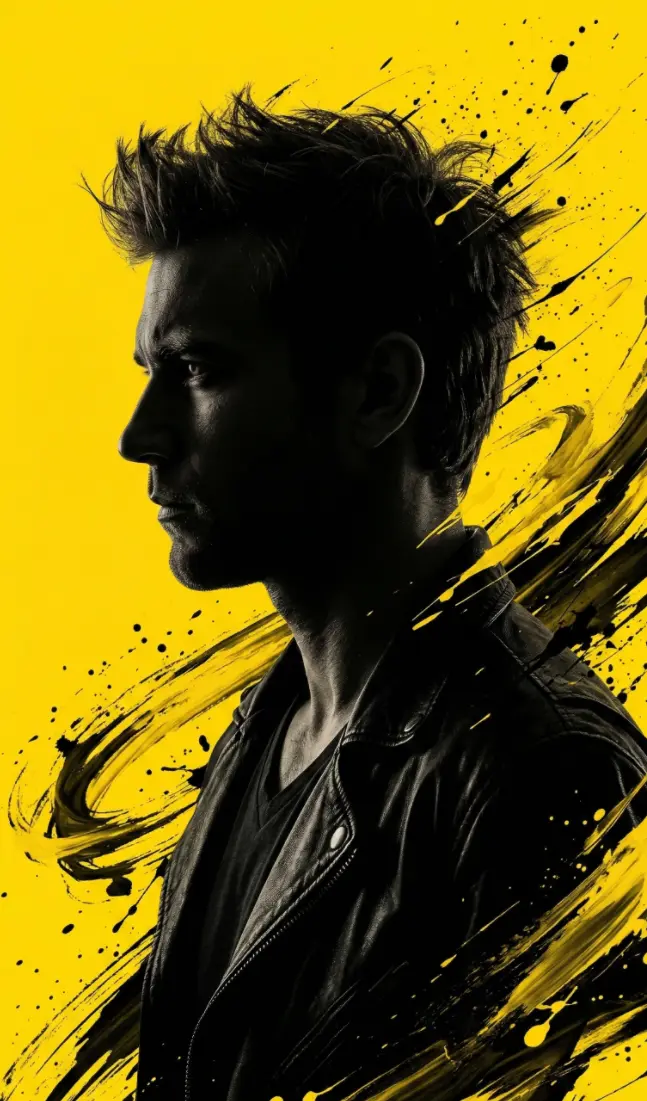
Dramatik Sarı Portre · BeforeBefore
Dramatik Sarı Portre · AfterAfter
AI GörselPortre

Dramatik Sarı Portre

Yüklenen fotoğraftaki yüzü kullanan, siyah-sarı fırça darbeleriyle dramatik siluet portre.

#Portre#Dramatik#Editöryal
Show prompt text

After copying the text, replace the fields in square brackets with your own information.

Convert this image into a dramatic, stylized portrait (use same face as the uploaded photo), 9:16 aspect ratio, featuring a dark, almost silhouetted figure in profile looking to the left. The figure has an intense, rugged look with spiky, energetic hair. The background is a vibrant, solid yellow. Dynamic, expressive black and yellow brushstrokes or abstract splatters emanate from around the figure's head and shoulders, blending into the yellow background and creating a sense of motion. Create a HD photo
Description and examples
Explore
12 views2 copies
A short guide to better results

Choose a prompt that fits your goal. Read it under “Show prompt text” or copy it directly. Replace the fields in square brackets with your own information; specify your preferred language, length and output format.

For image prompts, choose a tool that supports image generation. Add your own reference image when a prompt asks to preserve identity or edit a photo. Example images are for guidance; results vary by model and settings.

Filter results
View
Your selection: