What Is JavaScript, and How Does It Work?
What Is JavaScript?
Imagine visiting a website.
You open a menu, fill in a form, add a product to your basket, apply filters or choose a location on a map. JavaScript is involved in many of these interactions.
JavaScript is a programming language that turns static page designs into dynamic experiences that respond to users.
HTML provides the page’s structure.
CSS controls its appearance.
JavaScript adds behaviour, logic and interaction.
MDN Web Docs describes JavaScript as a lightweight, interpreted or just-in-time compiled language used both on web pages and outside browsers. It is more than a tool for small visual effects: environments such as Node.js also run it on servers.
Why Is JavaScript So Popular?
JavaScript is widely used because it sits at the centre of the web.
It is difficult to ignore JavaScript when building modern websites and applications. Many of the fast, responsive interactions users expect depend on it.
According to the Stack Overflow 2025 Developer Survey, JavaScript ranked first among programming, scripting and markup languages, with 66% of respondents reporting its use. HTML/CSS, SQL, Python and Bash/Shell were also among the most widely used technologies.
The main reasons for its popularity include:
Native support in browsers
Its central role in frontend development
Backend support through Node.js
Strong ecosystems including React, Next.js, Vue and Angular
Uses across websites, dashboards, APIs, mobile apps and desktop applications
A large developer community and extensive libraries
JavaScript connects many parts of modern digital systems.
How Does JavaScript Work?
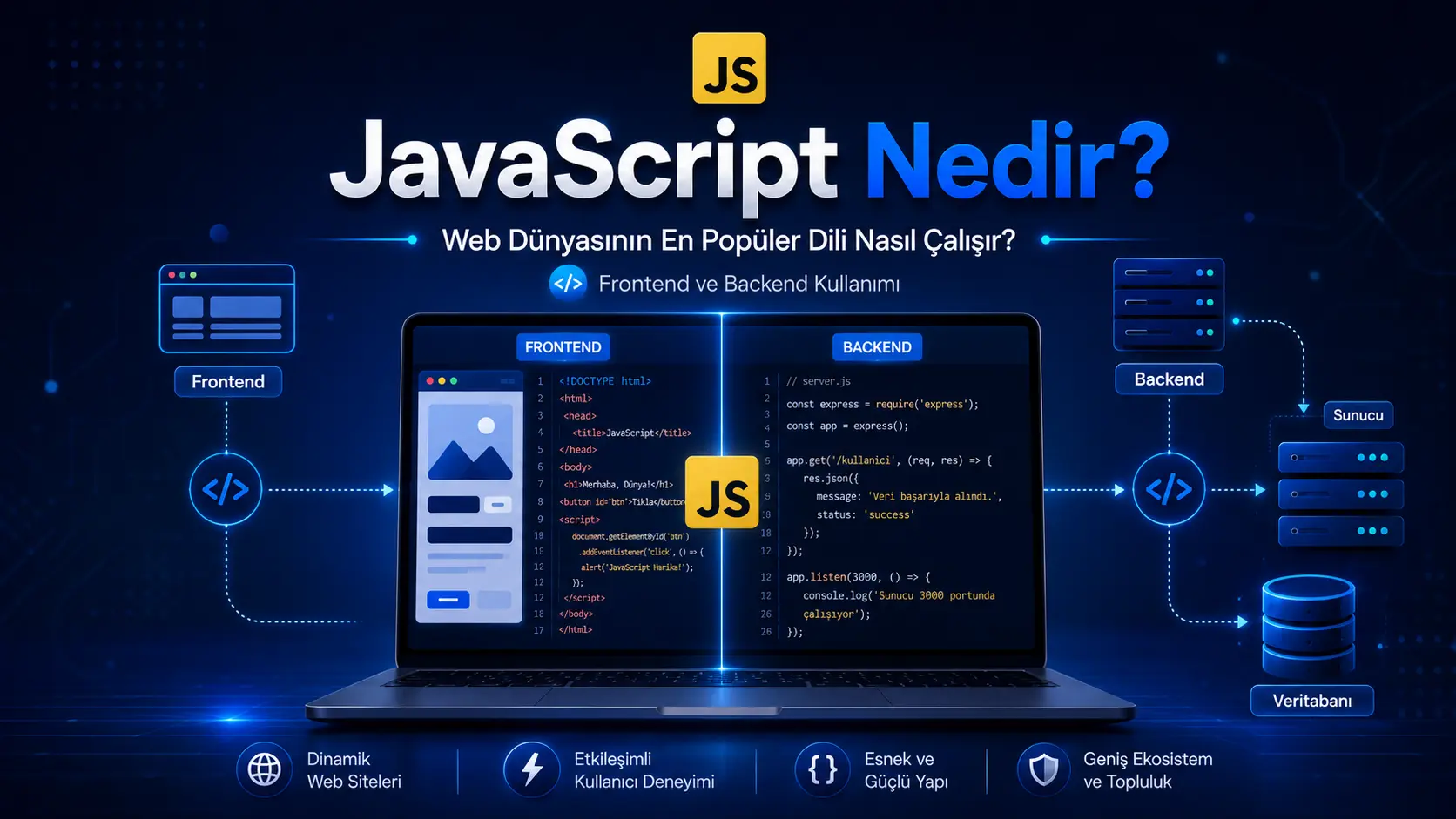
JavaScript code often runs in the browser.
When someone visits a website, the browser downloads HTML, CSS and JavaScript. HTML supplies structure, CSS supplies appearance and JavaScript manages behaviour.
A simple example:
console.log("Merhaba dünya");
This code writes “Merhaba dünya”, Turkish for “Hello world”, to the developer console.
A more practical example:
const buton = document.querySelector("#gonder");

buton.addEventListener("click", function() {
  alert("Form gönderildi!");
});
JavaScript finds a button on the page and displays an alert when the user clicks it.
The basic idea is:
The user does something, JavaScript detects it and responds appropriately.
That response might open a menu.
It might validate a form.
It might fetch data from a server.
Or it might update the screen without reloading the entire page.
What Does JavaScript Do on the Frontend?
The frontend is the part users see and interact with.
It includes buttons, menus, forms, animations, product cards, filters, dashboards and page transitions.
Frontend JavaScript is used for:
1. User Interactions
JavaScript can open menus, validate forms, switch tabs and display modal windows in response to user actions.
For example:
These features make websites easier to use.
2. Dynamic Page Updates
Traditionally, displaying new data often required a full page reload.
JavaScript lets data update without reloading the page. Applying a product filter, for example, can update just the product list.
This makes the experience faster.
3. Form Validation
Consider a contact form.
JavaScript can immediately flag a missing email address or incorrect format, so the user sees the problem before submitting.
This helps users and reduces avoidable input errors.
4. Fetching Data from APIs
Modern applications often retrieve data through APIs.
An API is an interface that lets two systems communicate.
Examples include:
Frontend JavaScript can retrieve this data and present it clearly.
Can JavaScript Run on the Backend?
Yes. JavaScript can also run on the backend.
The best-known technology enabling this is Node.js.
Node.js is an open-source, cross-platform runtime for JavaScript outside the browser. Its official description highlights servers, web applications, command-line tools and scripts.
The backend runs the system behind the scenes.
Put simply:
It manages processes such as logins, database operations, payments, admin functions, file uploads, notifications and API connections.
With Node.js, JavaScript can handle:
JavaScript is therefore much more than a language for making buttons work. With suitable architecture, it can power both sides of a complete web application.
How Does JavaScript Connect the Frontend and Backend?
Consider a simple example.
A user completes a registration form.
Frontend JavaScript:
Checks the form fields.
Warns the user about missing information.
Prepares a request when the button is pressed.
Sends the data to the server.
Backend JavaScript with Node.js:
Receives the data.
Performs security checks.
Saves the user in the database.
Sends an email verification if needed.
Returns a response to the frontend.
The frontend communicates with the user; the backend handles the underlying operations.
Using JavaScript on both sides gives the project a shared language.
What Can You Build with JavaScript?
JavaScript supports many kinds of digital projects.
For example:
React and Next.js can help build fast, modern, SEO-friendly websites. Node.js can provide their data management, APIs and server-side operations.
Are JavaScript, React and Next.js the Same Thing?
No.
The distinction matters.
JavaScript is a programming language.
React is a library for building interfaces with JavaScript.
Next.js is a React framework with features for SEO, performance, routing and server rendering.
Think of them this way:
JavaScript: the language
React: an interface development tool
Next.js: a broader web application framework
Node.js: a runtime for server-side JavaScript
Understanding these differences helps explain technology choices when commissioning a website.
Is JavaScript Difficult to Learn?
Getting started is approachable, but using it well takes time.
Begin with variables, conditionals, loops, functions and DOM operations. Later come APIs, asynchronous code, modules, frameworks and architecture.
A useful learning order is:
HTML and CSS fundamentals
Basic JavaScript
DOM operations
Forms and user interactions
Fetching data from APIs
Frontend tools such as React or Vue
Backend concepts with Node.js
Databases and project architecture
The aim is to understand where, why and for which problem JavaScript is being used.
Why Does JavaScript Matter When Commissioning a Website?
A good-looking website is not enough if it is slow, confusing or difficult to use.
Used well, JavaScript provides:
A better user experience
Faster interactions
Dynamic content management
Advanced forms
API connections
User and admin dashboards
Modern interface flows
Real-time updates
More flexible development
There is one important consideration:
Unnecessary or poorly planned JavaScript can slow a site down. Performance, SEO, security and user experience should be considered together.
A blog, business website or service page needs planning for speed, mobile usability, SEO and content management as well as visual design.
What Should You Consider When Using JavaScript?
JavaScript is powerful and needs to be used thoughtfully.
Professional projects should address:
Performance
Unnecessary JavaScript files can slow page loading. Keep code clear, organised and focused on actual needs.
Security
Validate submitted data rather than trusting user input. Perform additional security checks on the backend.
SEO
Search engines may struggle with some JavaScript-heavy sites. Frameworks such as Next.js can help address this.
Code Organisation
Untidy code may seem harmless in a small project, but growth makes clean architecture, components and maintainable folders essential.
Maintenance and Development
Launching a site is not the end. Updates, bug fixes, security reviews and new features may still be needed.
When Is JavaScript a Suitable Choice?
JavaScript is commonly used for:
Highly interactive websites
Systems with admin or user dashboards
Web applications connected to APIs
Modern frontend interfaces
React or Next.js projects
Node.js backends
Applications requiring real-time data
Projects balancing SEO and performance
It is not the only suitable technology for every project. Consider the purpose, budget, data model, user numbers and long-term development plans.
What Does a JavaScript Development Process Look Like?
A project usually follows these steps:
1. Requirements Analysis
First, clarify what the project will do.
Will it be a website?
Will it need a dashboard?
Will users need to log in?
Where will data be stored?
Does SEO matter?
How will mobile users be supported?
These answers directly influence technology choices.
2. Design and User Experience
Define what users do on each page. Plan navigation, forms, buttons, content flow and dashboards.
3. Frontend Development
Build the visible interface with HTML, CSS, JavaScript, React or Next.js.
4. Backend and Database
Set up data flows with Node.js, Supabase, Firebase or other backend solutions. This includes accounts, admin functions, APIs and application logic.
5. Testing and Performance Checks
Check forms, buttons, navigation, mobile layouts, speed and security.
6. Launch and Maintenance
Launch the project, then continue updates, maintenance and feature development as needed.
What Affects the Cost of a JavaScript Project?
There is no single fixed price for every JavaScript website or application.
Each project has a different scope.
The main factors include:
A simple promotional website differs substantially from an application with accounts, payments, dashboards and APIs.
Clarify the need, define the technical scope and then create a realistic development plan.
What Is the Right Approach for Your JavaScript Project?
JavaScript can be a strong choice, but its value depends on using it appropriately.
When planning a website or custom application, answer these questions:
Is the site purely informational?
Will users log in?
Does it need a manageable admin panel?
Is SEO important?
Will most visits come from mobile devices?
Will data update in real time?
Will new features be added later?
The answers help determine an appropriate combination of JavaScript, React, Next.js, Node.js, Supabase or Firebase.
At Ben Mühendisiniz, planning for websites, mobile apps, custom software, dashboards and improvements to existing projects follows the project’s needs. The goal is a system that works and remains understandable, reliable, manageable and extensible.
Conclusion
JavaScript is one of the web’s most important programming languages.
On the frontend, it creates dynamic interfaces. On the backend, Node.js enables APIs, servers, database connections and application logic.
This makes it a common choice for websites, dashboards, SaaS products, admin systems, modern interfaces and custom software.
Before commissioning a project, ask whether the technology suits your needs as well as which technology will be used. Good planning, clear design, secure foundations and maintainable development underpin a successful digital product.
JavaScript FAQs
What is JavaScript?
JavaScript is a programming language that makes web pages dynamic and interactive. It is used for buttons, forms, menus, data fetching and user dashboards.
Is JavaScript frontend or backend?
It can be both. Browsers run frontend JavaScript, while Node.js supports backend APIs, servers and database operations.
Can you build a website with JavaScript?
Yes. It is a core part of modern websites. React and Next.js help build fast, modern and manageable sites.
What is Node.js?
Node.js is a runtime for JavaScript outside the browser, used for backends, APIs, servers and command-line tools.
Is JavaScript difficult to learn?
The basics are relatively approachable. Professional use also requires understanding the DOM, APIs, asynchronous operations, frameworks and architecture.
Can JavaScript cause SEO problems?
Poorly implemented JavaScript-heavy sites can have SEO issues. Tools such as Next.js help plan performance, server rendering and search visibility.
What matters when commissioning a JavaScript project?
Consider scope, design, frontend, backend, admin functions, data security, SEO, mobile compatibility and maintenance together.



Comments (0)
No comments yet. Be the first!
Leave a comment