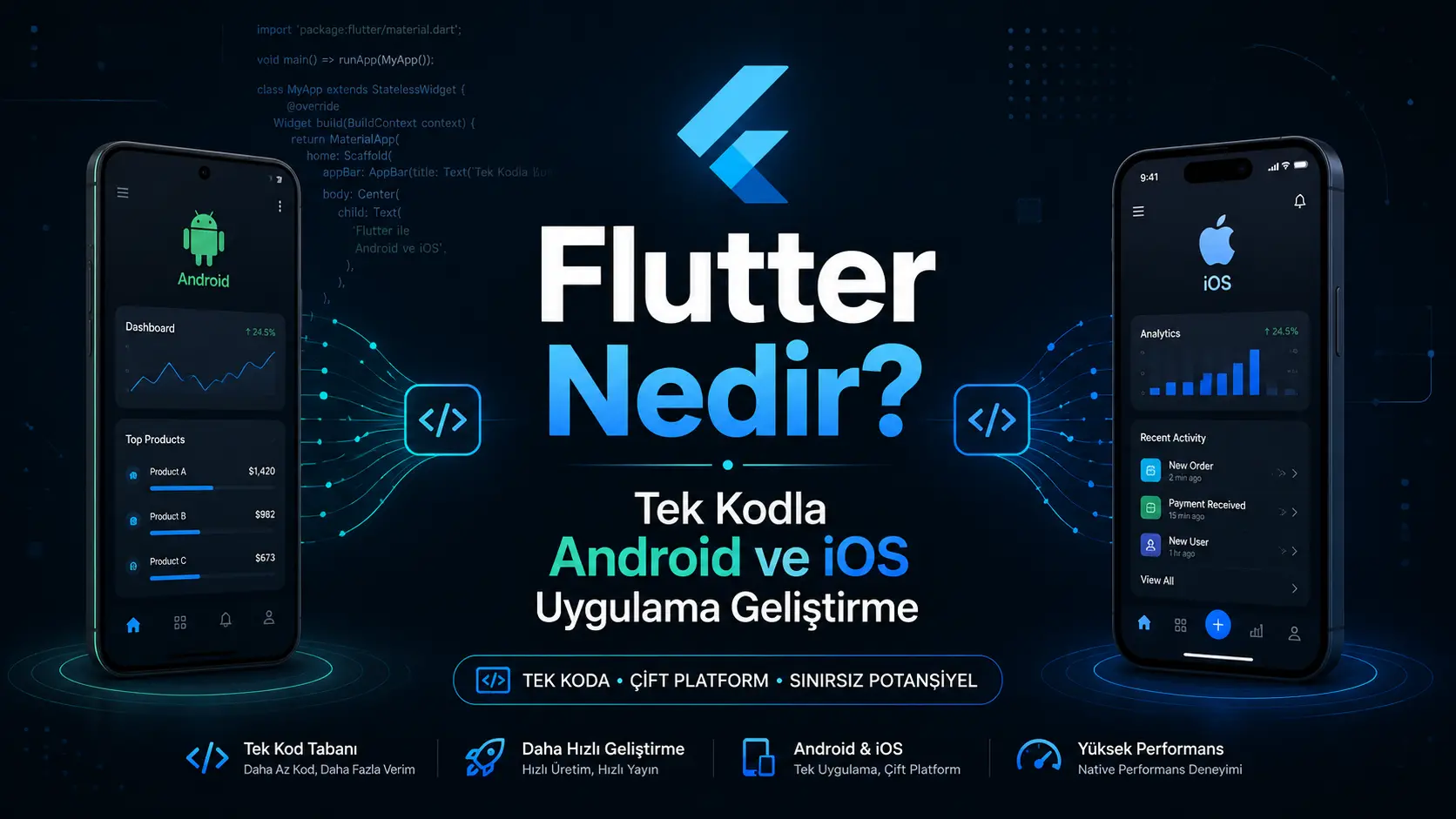
What Is Flutter? Android and iOS Development from One Codebase
What Is Flutter?
Imagine you have an idea for a mobile app.
You want it to run on Android phones and iPhones. Traditional native development may use Kotlin or Java for Android and Swift for iOS.
This usually means separate codebases, development processes and maintenance work.
Flutter aims to make this easier to manage.
Flutter is an open-source UI framework for building mobile, web, desktop and some embedded applications from one codebase.
Developed by Google, it provides tools for screens, buttons, menus, animations and interactions. Its official resources describe deployment across mobile, web, desktop and embedded devices.
Put simply:
Flutter lets teams develop much of an app's Android and iOS versions in the same project.
This can help projects reach multiple platforms within a limited budget.
What Is Flutter Used For?
Flutter can implement the entire user-facing interface, not just a few buttons.
Examples include:
Education and student tracking apps
Shopping apps
Appointment and reservation systems
Courier and delivery apps
Maps and location-based apps
Social networking apps
Messaging systems
Employee apps
Finance and budget tracking
Subscription platforms
Classifieds and marketplaces
Health and fitness tracking
Flutter's architecture documentation describes sharing code across operating systems while communicating directly with platform services when necessary.
Flutter is not necessarily the whole application.
Accounts, stored data, messages, payment processing and admin tools usually require a backend.
Which Programming Language Does Flutter Use?
Flutter apps use the Dart programming language.
Dart defines screens, business rules, interactions and data flows.
Dart provides a sound type system, null safety and modern language features. It can compile to machine code for mobile and desktop and to JavaScript or WebAssembly for the web.
Here is a simple Dart example:
void main() {
  String kullaniciAdi = "Mehmet";
  print("Merhaba $kullaniciAdi");
}
It prints the following output:
Merhaba Mehmet
In Flutter, almost every visual element is a widget.
Here is a simple Flutter screen:
import 'package:flutter/material.dart';

void main() {
  runApp(const BenimUygulamam());
}

class BenimUygulamam extends StatelessWidget {
  const BenimUygulamam({super.key});

  @override
  Widget build(BuildContext context) {
    return MaterialApp(
      home: Scaffold(
        appBar: AppBar(
          title: const Text('İlk Flutter Uygulamam'),
        ),
        body: const Center(
          child: Text('Merhaba Flutter'),
        ),
      ),
    );
  }
}
In this example:
MaterialApp provides the application's basic structure.
Scaffold defines the page layout.
AppBar is the top app bar.
Text displays text.
Center centres its child.
Flutter offers an extensive collection of visual, structural and interactive widgets.
How Can One Codebase Support Android and iOS?
The phrase “one codebase” is sometimes misunderstood.
It does not mean every platform operation is identical. Most screens, models, business rules and user journeys can be shared.
Shared elements can include:
Some features may need platform-specific work:
Packages expose many platform features. If no suitable package exists, Swift, Objective-C, Kotlin or Java code can be connected to the Flutter project.
A more accurate description is:
Flutter shares most Android and iOS application code while allowing platform-specific implementations when needed.
How Does Flutter Work?
It helps to think in three layers.
1. User Interface
Screens are built with Flutter widgets.
This includes buttons, cards, lists, menus, text, animations and forms.
2. Application Logic
Dart code determines what happens after a button press, which data appears and where users navigate.
For example:
These rules form the application logic.
3. Backend and Database
The backend manages data behind the interface.
It handles accounts, messages, orders, payments, appointments, files and admin operations.
Backend services and database technologies used with Flutter can include:
Supabase
Firebase
Node.js
.NET
Laravel
Django
PostgreSQL
MySQL
Custom REST APIs
For example, sign-in details are sent to a backend, which validates them and returns a result.
A good app needs sound data modelling, secure backend services and suitable admin tools as well as attractive screens.
Flutter's Advantages
A Shared Codebase
Shared Android and iOS code can reduce the need for separate implementations.
This is especially useful when both platforms offer similar features.
A More Manageable Development Process
Many features can be added within the shared project.
For instance, a new profile field can often be implemented once in the shared Flutter screen.
Consistent Design
Flutter helps deliver a similar visual experience across devices.
Brand colours, cards, buttons and typography can be managed through one design system.
Hot Reload
Hot reload lets developers see many code changes without restarting the entire application.
It is particularly useful for interface development and design adjustments.
Broad Platform Support
Flutter extends beyond Android and iOS.
It can target:
Android
iOS
Web
Windows
macOS
Linux
Embedded devices
The official platform documentation describes support for mobile, web and desktop deployment.
A Package Ecosystem
Packages can provide notifications, cameras, maps, file selection, sharing and authentication.
Check whether each package is maintained, reliable and suitable for the project.
Popularity alone is insufficient: review updates, platform support, open issues and maintenance activity.
Limitations and Tradeoffs
Flutter is capable, but not automatically the best choice for every project.
Platform-Specific Work May Be Needed
Advanced Bluetooth, background services, NFC, camera functionality or operating system services may require native code.
Larger Application Size
For very small apps, Flutter's runtime components may produce a larger package than a native implementation.
Package Quality Varies
Some packages become unmaintained or incompatible with newer operating system versions.
Evaluate packages technically before adopting them.
Websites and Web Applications Have Different Needs
Flutter supports the web, but may not be the first choice for content-heavy company sites or SEO-focused blogs.
Flutter web can be considered for:
and similar products.
Flutter's official web guidance particularly highlights PWAs, single-page apps and web versions of existing mobile apps.
Web-focused frameworks such as Next.js may be more suitable for SEO-heavy websites.
What Can You Build with Flutter?
Flutter supports many project types.
Education Apps
Ecommerce Apps
Appointment Apps
Medical appointments
Salon bookings
Consultation bookings
Gym reservations
Event planning
Location-Based Apps
Business Apps
Employee management
Task tracking
Inventory management
Field operations
Reporting screens
Internal communication
Whatever the app category, careful planning matters more than the technology name.
When Is Flutter a Good Fit?
Consider Flutter when:
Both Android and iOS are required
The budget needs careful control
You want to test an initial release quickly
Features are similar across platforms
A consistent design is important
Future web or desktop versions are planned
One team will manage several platforms
Flutter can be useful for MVPs.
MVP is the simplest usable version of an idea. Its purpose is to test the core value with users before implementing every feature.
For example, an appointment app's MVP may only need:
User registration
Service selection
Date and time selection
Appointment booking
Send notifications
Admin panel
Campaigns, reward points, advanced reports and membership packages can follow later.
When Might Native Development Be Better?
Some projects may be better served by native development.
For example:
Apps with extensive operating system integration
Advanced augmented reality projects
Complex Bluetooth or hardware integrations
Systems with continuous device-service access
Apps prioritising platform-specific design and behaviour
Projects targeting only Android or only iOS
The decision should go beyond asking which technology is universally better.
Instead, ask:
Which approach best matches the requirements, target platforms, budget and maintenance plan?
The Flutter Development Process
1. Define the Idea and Purpose
Establish the problem the app solves.
Answer these questions:
Who will use the app?
Why will users need it?
What is the core feature?
What belongs in the first release?
Will there be a revenue model?
How will it differ from alternatives?
2. Define User Roles
An app may serve several user types.
An education app, for example, may include:
as separate roles.
Each role may have different screens and permissions.
3. Plan Screens and Journeys
Map the user journey before coding.
For example:
The user opens the app.
Registers or signs in.
Reaches the home screen.
Chooses a service.
Books an appointment.
Makes a payment.
Receives a notification.
Views previous transactions.
Unclear journeys lead to repeated decisions and growing complexity during development.
4. Interface Design
Prepare the screen designs.
Define:
Colour palette
Typography
Card styles
Buttons
Navigation structure
Empty states
Error messages
Phone and tablet layouts
Clear design helps users find and complete tasks easily.
5. Flutter Implementation
Turn the designs into working Flutter screens.
This includes:
6. Backend and Database
Prepare services for accounts, orders, messages, files and other records.
Security rules are crucial.
For example, users must not:
See another person's private information
Access unauthorised admin screens
Alter protected prices or payment records
Access files belonging to other accounts
7. Admin Panel
Many apps need tools for ongoing management.
An admin panel can support:
Without admin tools, even a small content update may require a developer.
8. Testing
Test on different devices.
Key checks include:
9. Store Publication
Submit the Android version to Google Play and the iOS version to the App Store.
Prepare:
App name
Descriptions
Screenshots
App icon
Privacy policy
Support link
Age rating
Data usage disclosures
for submission.
A completed app is not automatically accepted. Check compliance with both stores' publication requirements.
10. Maintenance and Updates
The work continues after launch.
Operating systems, Flutter, packages, server infrastructure, security requirements and store rules can change.
Ongoing work includes:
Fixing bugs
Updating packages
Monitoring performance
Reviewing security
Testing new devices
Evaluating user feedback
How Long Does Flutter Development Take?
The schedule depends on scope.
A simple content app takes less work than a multi-role platform with payments and admin tools.
Important factors include:
A simple MVP may take weeks; a marketplace, education platform or business management system may take months.
Estimate time from individual screens and features, rather than the idea alone.
What Affects Flutter Development Cost?
Flutter does not automatically make every project inexpensive.
Sharing code can simplify delivery, but requirements determine the overall cost.
The main factors include:
Total screen count
Custom design complexity
Number of user roles
Backend development
Database structure
Admin panel
Payment infrastructure
Subscriptions
Messaging
Notifications
Maps and live location
Camera and uploads
Reporting
Multiple languages
In-app purchases
Web dashboard
Store publication
Maintenance and hosting
A simple catalogue differs greatly from a marketplace with sellers, customers, couriers and administrators.
Divide the project into stages:
Essential features
Features for later releases
Long-term improvements
This helps control the budget and test the product sooner.
Flutter or Native Development?
Area | Flutter | Native development |
|---|
Codebase | Largely shared across Android and iOS | Separate by platform |
Development team | Can be managed by one team | May require separate specialisms |
Design consistency | Shared design system | Implemented for each platform |
Platform features | May require packages or custom native code | Direct access to platform tools |
Maintenance | Largely shared code updates | Separate project updates |
Typical fit | Cross-platform business apps and MVPs | Deep platform and hardware integration |
Neither approach is universally superior.
Both have suitable use cases. Choose after analysing the requirements.
What Makes a Flutter Project Successful?
Define the Scope First
“I want a social networking app” is not a sufficient specification.
Define registration, sharing, communication and content moderation.
Use a Maintainable Architecture
Even a small first release should allow future features.
Separate interface, data and business logic where appropriate rather than putting everything into each screen file.
Enforce Security Beyond the Interface
Hiding a button is not an access control.
Enforce permissions in the backend and database too.
Plan Admin Tools
If users and content need management, include it from the start.
Test on Physical Devices
Features may behave differently on an emulator and a real phone.
Test cameras, notifications, uploads, location and payments on real Android and iOS devices.
Budget for Maintenance
Account for running costs as well as initial development.
Hosting, databases, file storage, SMS, email, maps and maintenance may incur ongoing charges.
Does Flutter Make Sense for Your App?
Flutter can be a strong option when both Android and iOS are required.
Especially when:
The design will be shared
Platform features are similar
Development will proceed in stages
The budget needs careful management
The first release needs early testing
Flutter is worth considering.
Choosing the technology alone does not ensure success.
Consider these together:
Requirements analysis
User experience
Clear design
Reliable backend
Secure database
Usable admin tools
Performance
Physical-device testing
Regular maintenance
throughout the project.
Professional support can cover planning, Flutter development, backend services, admin tools, publication and maintenance. The aim is a usable, maintainable system, not merely completed code.
Conclusion
The simplest explanation of Flutter is:
An open-source technology for building Android and iOS apps with a largely shared codebase.
Shared code can simplify development and maintenance, while payments, notifications, location, cameras and store configuration may require platform-specific work.
Consider features, roles, backend requirements, security, budget and long-term plans alongside development speed.
A well-planned Flutter project can offer Android and iOS users a consistent experience.
Frequently Asked Questions
Is Flutter free?
Yes. Flutter is free and open source. Hosting, databases, SMS, maps, payment services and developer accounts may have additional costs.
Can Flutter build both Android and iOS apps?
Yes. Shared cross-platform code is a core goal, although some features need platform configuration or native code.
Which language does Flutter use?
Flutter apps are written in Dart.
Can Flutter build websites?
It can build web applications. Web-focused frameworks such as Next.js may suit content-heavy, SEO-focused websites better.
Are Flutter apps fast?
Sound architecture and optimisation can deliver smooth performance. Results depend on packages, screen structure, images, data processing and code quality.
Does a Flutter app need a backend?
Usually for online accounts, stored data, payments, messaging or admin tools. A simple device-only app may not need one.
How long does Flutter development take?
It depends on screens, roles, backend services and features. A basic MVP may take weeks; a larger platform may take months.
How much does Flutter development cost?
There is no fixed price. Design, screens, admin tools, backend services, payments, notifications, location, messaging and maintenance determine the cost.
Is maintenance needed after launch?
Yes. Operating system changes, security updates, package changes and user feedback require ongoing maintenance.
Is Flutter better than React Native?
Both support cross-platform development. The choice depends on team experience, project needs and required integrations.
Will Android and iOS versions look identical?
A shared design is possible, but navigation, transitions and permission flows should respect each platform where appropriate.
Is Flutter difficult to learn?
Experienced programmers may learn Dart and Flutter more quickly. Beginners should first understand Dart variables, functions, classes and asynchronous programming.



Comments (0)
No comments yet. Be the first!
Leave a comment