

What Is a Variable? Types, Concepts and Code Examples
A variable is a named place for storing, using and updating information in a program. Variables hold values such as usernames, ages, prices, payment status and task counts. String stores text, int stores whole numbers, double stores decimal numbers, bool stores true or false, and List holds multiple values. Understanding variables is a foundation of programming logic and clean code.

Mehmet Karataş
Author
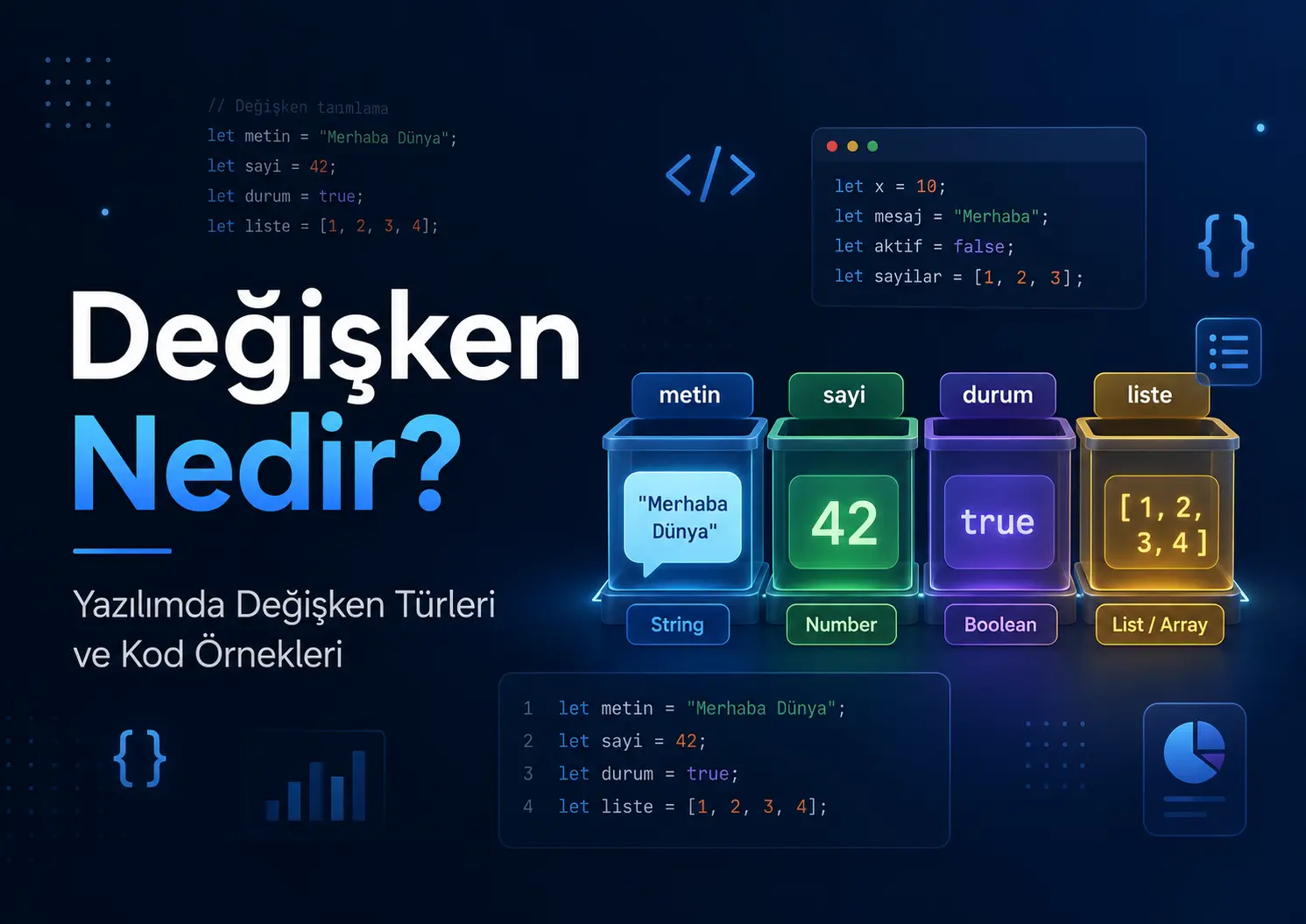
What Is a Variable? Variable Types and Code Examples
Imagine opening an app.
Your name appears on the login screen. The basket total changes. Pressing a button updates a payment status. A student’s completed question count increases. A profile stores an email address, phone number, age and membership details.
Where does the program keep all this information?
This is where a variable comes in.
In simple terms, a variable is a named place in a program for storing data, using it later and sometimes changing it.
Think of a variable as a small box with a name on the outside and a value inside.
For example:
String kullaniciAdi = "Mehmet";
int yas = 28;
bool aktifMi = true;
There are three variables here:
kullaniciAdi
yas
aktifMi
kullaniciAdi stores text.yas stores a number.aktifMi stores true or false.
Variables let a program remember information.
What Are Variables Used For?
Software works with data, so variables are fundamental to development.
In a mobile app, variables can:
Store a user’s name
Track whether someone is logged in
Calculate a basket total
Track payment status
Hold form input
Count a student’s completed tasks
Change the app theme
Display data retrieved from an API
Consider a simple shopping example.
let sepetToplami = 1200;

sepetToplami = sepetToplami + 300;

console.log(sepetToplami);
The output is:
1500
The basket total initially was 1200. An item was then added costing 300 TRY, bringing the total to 1500.
That is how a variable works: it holds a value, allows updates and makes the value available elsewhere in the program.
How Do Variables Work?
A variable declaration usually has three main parts:
Part | Meaning | Example |
|---|---|---|
Variable name | The name given to the data |
|
Data type | The kind of value |
|
Value | The stored information |
|
Example:
String ogrenciAdi = "Ayşe";
In everyday language, this code says:
“ogrenciAdi is the name of a variable that stores text. Give it the value Ayşe.
Why Do Variable Names Matter?
Choose names deliberately. Computers are not the only readers of code: you, your teammates and your future self need to understand it too.
A poor name might look like this:
String x = "Mehmet";
int a = 28;
bool b = true;
The code works, but its meaning is unclear.
A better approach:
String kullaniciAdi = "Mehmet";
int kullaniciYasi = 28;
bool kullaniciAktifMi = true;
This is clearer because the names explain what the variables hold.
Good variable names significantly improve code quality.
Variable Types by Data Type
Learning data types helps you understand variables. A name, price, age and payment status represent different kinds of information.
1. String Variables
String stores text.
Names, email addresses, descriptions, titles, telephone numbers and postal addresses are usually stored as strings.
String adSoyad = "Mehmet Karataş";
String email = "info@benmuhendisiniz.com";
String hizmetAdi = "Mobil uygulama geliştirme";
Phone numbers are normally strings because we do not perform arithmetic on them.
String telefon = "05551234567";
Think of it this way:
A phone number looks numeric, but represents contact information. A string is therefore usually more appropriate.
2. Integer Variables
Integer stores whole numbers.
It is used for ages, quantities, stock levels, student counts and task counts.
int yas = 28;
int ogrenciSayisi = 150;
int tamamlananGorev = 8;
A simple example:
int toplamGorev = 10;
int tamamlananGorev = 7;

int kalanGorev = toplamGorev - tamamlananGorev;

print(kalanGorev);
Output:
3
The program subtracts completed tasks from the total to calculate how many remain.
3. Double Variables
Double stores floating-point numbers.
It can represent fractional values such as ratios, averages, scores and coordinates; the following example uses a price.
double fiyat = 249.99;
double ortalamaNet = 72.5;
double indirimOrani = 0.15;
Example:
double urunFiyati = 500.0;
double indirimOrani = 0.20;

double indirimliFiyat = urunFiyati - (urunFiyati * indirimOrani);

print(indirimliFiyat);
Output:
400.0
The product costs 500 TRY. The discount rate is %20. The discounted price is 400 TRY.
4. Boolean Variables
Boolean has two possible values:
true
false
It represents true or false.
bool girisYapildiMi = true;
bool odemeTamamlandiMi = false;
bool bildirimAcikMi = true;
Booleans are common in applications.
For example, a logged-in user can be directed to the home page:
bool kullaniciGirisYaptiMi = true;

if (kullaniciGirisYaptiMi) {
  print("Ana sayfaya yönlendir.");
} else {
  print("Giriş ekranını göster.");
}
Boolean variables are especially useful for decisions.
For example:
Is the user active?
Has payment been made?
Is the form valid?
Is there an internet connection?
Are notifications enabled?
Should the button be shown?
These questions often have the answer true or false.
5. List Variables
A list stores multiple values in one variable.
For example, we can store a student’s subjects:
List<String> dersler = ["Matematik", "Türkçe", "Fen"];
This list has three values:
Matematik
Türkçe
Fen
Elements are accessed by index. In many languages, indexing starts at 0.
print(dersler[0]);
print(dersler[1]);
print(dersler[2]);
Output:
Matematik
Türkçe
Fen
A practical example:
List<String> gorevler = [
  "Paragraf testi çöz",
  "Matematik tekrar yap",
  "Deneme analizi yap"
];

print(gorevler.length);
Output:
3
Here, gorevler.length returns the number of tasks in the list.
6. Map / Object Variables
Some information belongs together. Consider a user.
A user has a name, age, email address and active status.
We could store these in separate variables:
String ad = "Mehmet";
int yas = 28;
String email = "mehmet@example.com";
bool aktifMi = true;
Grouping them in one structure can be clearer.
In Dart, a Map can do this:
Map<String, dynamic> kullanici = {
  "ad": "Mehmet",
  "yas": 28,
  "email": "mehmet@example.com",
  "aktifMi": true
};
It uses key-value pairs.
For example:
print(kullanici["ad"]);
print(kullanici["email"]);
Output:
Mehmet
mehmet@example.com
In JavaScript, a comparable structure is usually an object:
const kullanici = {
  ad: "Mehmet",
  yas: 28,
  email: "mehmet@example.com",
  aktifMi: true
};

console.log(kullanici.ad);
This is particularly common in data received from APIs.
7. Dynamic Variables
Some declarations allow values of different types. In Dart, dynamic provides this flexibility.
dynamic veri = "Merhaba";

veri = 25;
veri = true;
This works because dynamic permits values of different types.
Use it carefully.
When a variable’s contents become unclear, errors become more likely. Explicit types are generally easier to manage in large projects.
A more predictable approach:
String baslik = "Hoş geldiniz";
int adet = 5;
bool aktifMi = true;
This makes the code easier to read and check.
Variable Types by Scope
Variables also differ according to where they can be used.
1. Local Variables
A local variable is only available within the scope where it is declared.
For example, a variable declared inside a function is available only within that function.
void selamVer() {
  String mesaj = "Merhaba Mehmet";
  print(mesaj);
}
The variable mesaj here is available only inside selamVer.
You cannot access it from outside the function.
void selamVer() {
  String mesaj = "Merhaba Mehmet";
  print(mesaj);
}

// print(mesaj); // Hata verir
Local variables help keep code organised and controlled.
2. Global Variables
A global variable is accessible across a wider scope.
String uygulamaAdi = "Ben Mühendisiniz";

void ekranaYaz() {
  print(uygulamaAdi);
}
Here, uygulamaAdi is declared outside the function and can be accessed from other places.
Avoid excessive global variables. As a project grows, tracking where values change becomes harder.
They can be convenient in small projects, while larger projects benefit from more controlled structures.
3. Instance Variables
An instance variable is declared in a class and belongs to an object created from that class.
Dart example:
class Kullanici {
  String ad;
  int yas;

  Kullanici(this.ad, this.yas);
}

void main() {
  Kullanici kullanici1 = Kullanici("Mehmet", 28);

  print(kullanici1.ad);
  print(kullanici1.yas);
}
Here, ad and yas, Kullanici are instance fields in this class.
Each user object can have its own name and age.
Kullanici kullanici1 = Kullanici("Mehmet", 28);
Kullanici kullanici2 = Kullanici("Ayşe", 24);
These two users have different values.
4. Static Variables
A static variable belongs to the class itself rather than an individual instance.
class Ayarlar {
  static String uygulamaAdi = "Ben Mühendisiniz";
}

void main() {
  print(Ayarlar.uygulamaAdi);
}
To access uygulamaAdi here, you do not need to create an object first.
Static variables are often used for shared settings, constants or application-wide information.
Mutable Variables and Constants
Some values can change; others should remain fixed.
A basket total can change:
int sepetToplami = 500;

sepetToplami = 750;
An application name usually stays the same:
const String uygulamaAdi = "Ben Mühendisiniz";
For fixed values, languages offer declarations such as const or final.
var, final and const in Dart
Dart frequently uses var, final and const to declare variables.
var
The value can be reassigned.
var puan = 80;

puan = 95;
Here, puan was initially 80 and then became 95.
final
The variable is assigned once and cannot be reassigned.
final String kullaniciId = "abc123";
Attempting this causes an error:
// kullaniciId = "xyz789"; // Hata verir
final is useful for values determined at runtime that should not be reassigned later.
const
Used for constants known at compile time.
const double pi = 3.14;
const String siteAdi = "Ben Mühendisiniz";
const values are compile-time constants.
A simple comparison:
Declaration | Can it be reassigned? | When to use it |
|---|---|---|
| Yes | For values that may change |
| No | For values assigned once |
| No | For compile-time constants |
var, let and const in JavaScript
JavaScript uses var, let and const for variable declarations.
var
An older declaration style, generally avoided in new code when let or const is more suitable.
var ad = "Mehmet";
let
Used for variables that can be reassigned.
let sepetToplami = 500;

sepetToplami = 750;
const
Used for bindings that cannot be reassigned.
const siteAdi = "Ben Mühendisiniz";
This causes an error:
// siteAdi = "Yeni Site"; // Hata verir
A common approach in modern JavaScript is:
Use const when reassignment is unnecessary, and let when it is needed.
What Is a Null Value?
A variable may not have a value yet. This is where null is useful.
null means there is currently no value.
For example, a user may not have added a profile picture.
String? profilFotografi = null;
In Dart, String? indicates that a variable can hold a string or null.
A value can be assigned later:
profilFotografi = "profil.jpg";
Careless handling of null values can cause errors. Null checks are therefore important.
Example:
String? kullaniciAdi;

if (kullaniciAdi != null) {
  print(kullaniciAdi);
} else {
  print("Kullanıcı adı bulunamadı.");
}
This check makes the application more reliable.
Variable Naming Guidelines
Follow your language’s rules and choose clear names.
A good variable name should:
Be understandable
Explain what it holds
Avoid being cryptically short
Avoid unnecessary length
Prefer widely compatible characters
Contain no spaces
Not begin with a digit
Incorrect examples:
String öğrenciAdı = "Ayşe";
int 1sayi = 10;
String kullanici adi = "Mehmet";
Better examples:
String ogrenciAdi = "Ayşe";
int sayi1 = 10;
String kullaniciAdi = "Mehmet";
One common naming convention is camelCase.
String kullaniciAdi = "Mehmet";
int toplamSoruSayisi = 120;
bool odemeTamamlandiMi = true;
The first word begins with a lowercase letter; later words begin with capitals.
A Practical Example: A Student Tracking App
Let’s consider variables in a more realistic context.
Suppose an app stores a student’s name, exam type, completed question count, completed tasks and payment status.
Its variables might look like this:
String ogrenciAdi = "Zeynep";
String sinavTuru = "YKS";
int cozulmusSoruSayisi = 450;
double ortalamaNet = 78.5;
bool odemeTamamlandiMi = true;

List<String> tamamlananGorevler = [
  "Paragraf testi",
  "Matematik konu tekrarı",
  "Deneme analizi"
];
They let the app track the student’s progress.
For example, payment status can determine dashboard access:
if (odemeTamamlandiMi) {
  print("Öğrenci paneline erişim verildi.");
} else {
  print("Ödeme bekleniyor.");
}
Or the app can show the completed task count:
print("Tamamlanan görev sayısı: ${tamamlananGorevler.length}");
Output:
Tamamlanan görev sayısı: 3
This illustrates that:
Variables are practical tools used throughout real applications.
Common Mistakes with Variables
Variables seem simple, but poor use can make code confusing.
1. Meaningless Names
String a = "Mehmet";
int b = 28;
The purpose of this code is unclear.
A better approach:
String kullaniciAdi = "Mehmet";
int kullaniciYasi = 28;
2. Choosing the Wrong Type
For a fractional value, an int cannot represent the decimal portion, while a double can.
double fiyat = 249.99;
Store phone numbers as strings rather than numeric quantities.
String telefon = "05551234567";
3. Unnecessary Global Variables
Making everything global seems convenient initially, but becomes difficult to manage as a project grows.
Declare variables in the scope where they are actually needed.
4. Missing Null Checks
Using a potentially absent value without checking can cause errors.
String? ad;

if (ad != null) {
  print(ad);
} else {
  print("Ad bilgisi yok.");
}
5. Making Fixed Values Reassignable
If a value should not change, use an appropriate constant or final declaration.
const String uygulamaAdi = "Ben Mühendisiniz";
This communicates intent and prevents unintended reassignment.
Why Are Variables Fundamental?
Variables may seem like a small topic, but understanding them is one of the first steps towards understanding programming.
Almost everything in software involves data.
You receive data from a user.
You hold it in a variable.
You process, check and display it.
You save it to a database when needed.
Then retrieve and show it again.
Variables are a starting point for how software works with data.
Quick Recap
A variable is a named place for storing data in a program.
Common types and declarations include:
String: Stores text.int: Stores whole numbers.double: Stores floating-point numbers.bool: Stores true or false.List: Holds multiple values.Map/Object: Stores key-value data.dynamic: Can hold values of different types.final: Assigned once and not reassigned.const: Used for constants.Local variable: Available within its declared scope.Global variable: Available across a wider scope.Static variable: A shared field belonging to a class.
Using variables well is fundamental to clear, readable code.
Frequently Asked Questions
What is a variable?
A named place in a program for storing data and using it when needed.
What does a variable do?
It holds information such as usernames, ages, prices, payment status, basket totals and task lists.
What is a string variable?
It stores text, including names, email addresses, descriptions and titles.
What is an integer variable?
It stores whole numbers, such as ages, quantities, stock levels and question counts.
What is a boolean variable?
A boolean holds true or false and is commonly used for conditions.
What is a list variable?
A list holds multiple values, such as subjects, tasks or products, in a single variable.
How do local and global variables differ?
A local variable is available only within its scope. A global variable is accessible more broadly.
How do final and const differ?
final allows a value to be assigned once without later reassignment. const is used for values known at compile time.
How should variables be named?
Choose clear, simple names that explain the contents. For example, a vague name such as x is less informative than kullaniciAdi.
Why should beginners understand variables well?
Variables support fundamental operations such as storing and processing data, checking conditions, listing values and performing calculations.
Comments (0)
No comments yet. Be the first!
Leave a comment