Flutter and Dart: A Friendly, Detailed Introduction to Mobile Development
What Are Flutter and Dart?
Imagine you have an idea for a mobile app.
You already know some of the requirements:
Users will sign in, navigate several screens and receive notifications. Perhaps there will be payments and an admin panel.
Then you start researching:
“How do I build an Android app?”
“Does iOS need a separate implementation?”
“What is Flutter?”
“What is Dart?”
“Can one app run on Android and iPhone?”
This is where Flutter and Dart enter the picture.
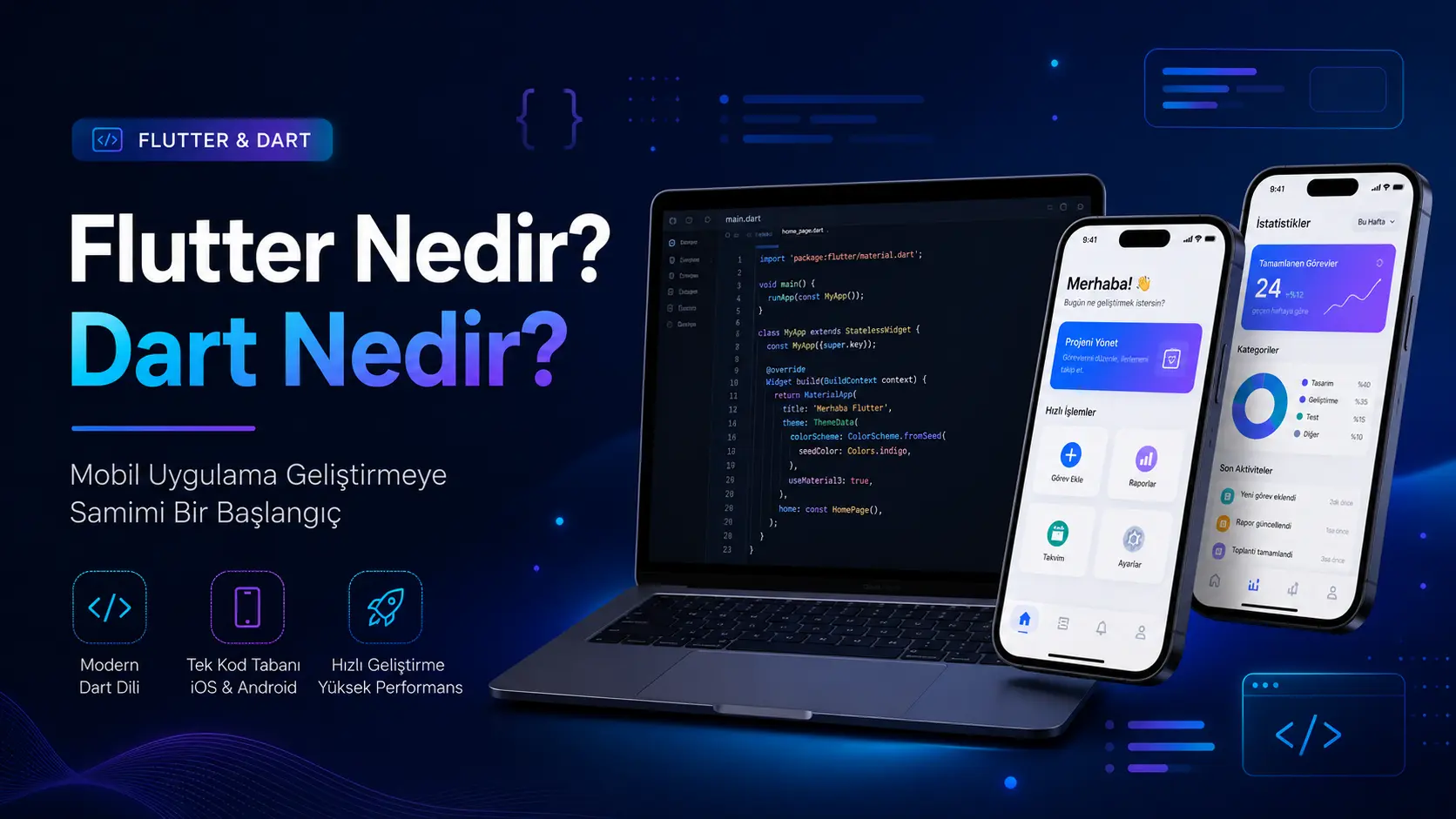
Flutter is an open-source framework for building mobile, web, desktop and embedded interfaces from a shared codebase. Cross-platform development is a central goal described in its documentation.
Dart is the language Flutter uses. Its official description emphasises productive, portable development of fast applications across platforms.
Think of it this way:
Dart is the language we speak.
Flutter is the toolkit we use to build the application with that language.
Here is an analogy.
Imagine building a house.
Dart is the builder's language and measurement system.
Flutter provides the bricks, doors, windows, paint and other construction tools.
Using Flutter effectively requires Dart; Flutter provides the UI toolkit that makes Dart-based mobile development practical.
What Is Flutter?
Flutter is Google's open-source UI framework for delivering applications to several platforms from one codebase.
It can target:
Android
iOS
Web
Windows desktop
macOS
Linux
Some embedded interfaces
The key point is:
Native Android and iOS development may use Kotlin or Java and Swift respectively, potentially requiring separate teams, codebases and maintenance.
Flutter allows much of that implementation to be shared.
It does not make every project a one-click deployment. Some platform-specific configuration remains necessary, but:
Most of the application can be designed, developed and managed in one place.
This can benefit startups, small businesses, service providers and teams seeking an early release.
What Is Dart?
Dart is the programming language used to write Flutter applications.
In practical terms:
It handles button actions, text updates, saved data, network requests, sign-in and other application behaviour.
Suppose someone enters an email address and password.
Dart code can help determine:
Is the email field empty?
Is the password long enough?
Does authentication confirm the account?
Where should the user go after sign-in?
Which error should be displayed?
Dart also supports web, server and command-line work, though Flutter development is its best-known use.
Common built-in types include int, double, String, bool, List, Set, Map, Function and Null and other types.
More simply:
Dart lets you:
How Do Flutter and Dart Differ?
The simplest answer is:
Dart is a programming language; Flutter is the application framework used with it.
Area | Dart | Flutter |
|---|
Purpose | Writing program logic | Building application interfaces and structure |
Type | Programming language | Framework / UI toolkit |
Typical responsibilities | Logic, data, functions and classes | Screens, buttons, lists and animations |
Example | Checking a username | Designing a sign-in screen |
How they work together | The language of the Flutter application | Builds the application using Dart |
A short example:
In Dart, define:
String kullaniciAdi = "Mehmet";
In Flutter, display it like this:
Text("Merhaba Mehmet")
Dart manages the data and logic; Flutter presents it through the interface.
Why Has Flutter Become Popular?
Sharing work across platforms can speed up application development.
Imagine a customer with an idea.
The business wants Android and iOS versions.
It needs a modern design.
Content should be managed from a dashboard.
Notifications are required.
The budget is limited.
Flutter can suit this scenario by sharing implementation rather than building two independent apps.
Its strengths include:
1. A Shared Codebase
One project can support Android and iOS.
This can help deliver an MVP: a working first version that tests the idea's core features.
For an appointment app, that might include:
These features can largely share the same Flutter implementation.
2. Flexible Interface Development
Flutter builds interfaces from widgets that describe how the screen should look for a given state.
The term may sound technical, but the idea is simple.
Many things on screen are widgets:
Text
Button
Image
Card
List
Form field
Menu
Page layout
A screen is composed from smaller pieces.
Consider a profile page:
The profile image is a widget
The username is a widget
The biography is a widget
The edit-profile button is a widget
Statistics cards are widgets
Together they form a complete screen.
3. Fast Iteration
Developers can quickly see changes to colours, typography and layout during development.
This saves time when refining designs.
4. Modern Visual Design
Flutter supports smooth, modern and customised interfaces.
Use standard components for simple apps, or create custom cards, animations, transitions and layouts for a distinct brand.
Examples include:
and many other products.
Can You Learn Flutter Without Dart?
You can start, but solid progress requires Dart fundamentals.
Building screens first can be motivating because the results are visible.
Dart becomes essential when implementing:
Authentication
Form validation
Lists
API connections
Database operations
State management
Error handling
Payment system
Notifications
Role-based screens
Simple text and buttons need little language knowledge, but a real application needs a sound foundation.
Dart Fundamentals with Simple Examples
Let's explore a few examples.
1. Variables
Variables hold values used by the program.
For example, store a user's name, age and active status:
String ad = "Mehmet";
int yas = 28;
bool aktifMi = true;

print(ad);
print(yas);
print(aktifMi);
Here:
The data might be used like this:
String kullaniciAdi = "Ayşe";
bool abonelikAktifMi = true;

if (abonelikAktifMi) {
  print("Hoş geldin $kullaniciAdi, hesabın aktif.");
} else {
  print("Hesabın pasif görünüyor.");
}
Even this small example demonstrates application logic.
It checks a user's status and displays a corresponding message.
2. Lists
A list stores multiple values together.
For example, a list of subjects:
List<String> dersler = ["Matematik", "Türkçe", "Fen"];

print(dersler[0]);
print(dersler[1]);
Output:
Matematik
Türkçe
An education app might list a student's tasks:
List<String> gorevler = [
  "Matematik 30 soru çöz",
  "Paragraf 20 soru çöz",
  "Fen konu tekrarı yap"
];

for (String gorev in gorevler) {
  print(gorev);
}
The list can be used to build task cards.
3. Maps
A Map stores key–value pairs.
For example, user information:
Map<String, dynamic> kullanici = {
  "ad": "Mehmet",
  "email": "mehmet@example.com",
  "aktif": true,
  "puan": 85
};

print(kullanici["ad"]);
print(kullanici["puan"]);
Data from APIs and databases often arrives in similar structures.
Dart processes information retrieved from Supabase, Firebase or your own backend.
4. Functions
Functions group reusable operations.
For example, add two numbers:
int topla(int a, int b) {
  return a + b;
}

void main() {
  int sonuc = topla(10, 20);
  print(sonuc);
}
Now consider an app example.
This simple function checks payment status:
String odemeDurumu(bool odendiMi) {
  if (odendiMi) {
    return "Ödeme tamamlandı";
  } else {
    return "Ödeme bekleniyor";
  }
}

void main() {
  print(odemeDurumu(false));
}
Its result could appear on a payment card.
5. Classes
Classes organise related data and behaviour.
For example, a student model:
class Ogrenci {
  final String ad;
  final String sinif;
  final int hedefNet;

  Ogrenci({
    required this.ad,
    required this.sinif,
    required this.hedefNet,
  });
}

void main() {
  Ogrenci ogrenci = Ogrenci(
    ad: "Zeynep",
    sinif: "12. Sınıf",
    hedefNet: 85,
  );

  print(ogrenci.ad);
  print(ogrenci.hedefNet);
}
Models are important in real projects.
They provide structure instead of scattering unrelated values throughout the app.
Examples include:
User model
Product model
Order model
Appointment model
Lesson model
Notification model
Payment model
and other domain objects.
This improves readability and maintainability as the project grows.
6. Null Safety
Null safety is an important Dart feature.
Null represents the absence of a value.
For example, a user may not have supplied a phone number. Declare that possibility explicitly:
String? telefon;

telefon = null;
telefon = "0555 555 55 55";
The variable ? indicates:
“This value may be null.”
This helps catch many potential errors earlier.
A missing phone number should not crash the app.
7. Asynchronous Operations
Not every operation completes immediately.
For example:
Fetching an account from a database.
Loading products over the network.
Waiting for a payment result.
Receiving a notification-service response.
Uploading a file.
Dart uses async and await to express asynchronous work.
A simple example:
Future<String> kullaniciGetir() async {
  await Future.delayed(Duration(seconds: 2));
  return "Mehmet";
}

void main() async {
  String kullanici = await kullaniciGetir();
  print("Hoş geldin $kullanici");
}
Here, the asynchronous operation waits two seconds before returning user data.
In a real application, that wait might be a network request.
Flutter Fundamentals: How Screens Are Built
Widgets define Flutter screens.
A simple application looks like this:
import 'package:flutter/material.dart';

void main() {
  runApp(const BenimUygulamam());
}

class BenimUygulamam extends StatelessWidget {
  const BenimUygulamam({super.key});

  @override
  Widget build(BuildContext context) {
    return MaterialApp(
      home: Scaffold(
        appBar: AppBar(
          title: const Text("İlk Flutter Uygulamam"),
        ),
        body: const Center(
          child: Text("Merhaba Flutter"),
        ),
      ),
    );
  }
}
Let's break it down.
main() is the entry point.
runApp() starts the Flutter application.
MaterialApp() establishes the overall application structure.
Scaffold() provides the page scaffold.
AppBar() is the top app bar.
body is the main page content.
Text() displays text.
Center() centres its child.
The example means:
“Start an app with a page, a title bar and the text Merhaba Flutter in the centre.”
StatelessWidget and StatefulWidget
Two common widget types are:
StatelessWidget
StatefulWidget
StatelessWidget
For a widget that does not own mutable state, use StatelessWidget.
For example, a card showing a title and description:
class BilgiKarti extends StatelessWidget {
  const BilgiKarti({super.key});

  @override
  Widget build(BuildContext context) {
    return Card(
      child: Padding(
        padding: EdgeInsets.all(16),
        child: Text("Flutter ile tek kod tabanından uygulama geliştirilebilir."),
      ),
    );
  }
}
This card has no internal counter, editable form or interaction-driven state.
StatefulWidget
For a widget that needs to own changing state, use StatefulWidget.
For example, a counter:
class SayacEkrani extends StatefulWidget {
  const SayacEkrani({super.key});

  @override
  State<SayacEkrani> createState() => _SayacEkraniState();
}

class _SayacEkraniState extends State<SayacEkrani> {
  int sayac = 0;

  void artir() {
    setState(() {
      sayac++;
    });
  }

  @override
  Widget build(BuildContext context) {
    return Column(
      children: [
        Text("Sayaç: $sayac"),
        ElevatedButton(
          onPressed: artir,
          child: Text("Artır"),
        ),
      ],
    );
  }
}
When the button is pressed, sayac changes.
setState() tells Flutter that state has changed and the affected widget should rebuild.
This pattern appears throughout real applications.
For example:
Adding a cart item
Completing a task
Updating a like count
Editing a form
Changing payment status
Switching themes
all involve state management.
A Simple Sign-In Screen
Here is a more practical example.
Create email and password fields, then validate them when the button is pressed.
class GirisEkrani extends StatefulWidget {
  const GirisEkrani({super.key});

  @override
  State<GirisEkrani> createState() => _GirisEkraniState();
}

class _GirisEkraniState extends State<GirisEkrani> {
  final emailController = TextEditingController();
  final sifreController = TextEditingController();

  String mesaj = "";

  void girisYap() {
    String email = emailController.text;
    String sifre = sifreController.text;

    if (email.isEmpty || sifre.isEmpty) {
      setState(() {
        mesaj = "Lütfen e-posta ve şifre alanlarını doldurun.";
      });
      return;
    }

    setState(() {
      mesaj = "Giriş kontrol ediliyor...";
    });

    // Burada normalde backend veya Firebase/Supabase kontrolü yapılır.
  }

  @override
  Widget build(BuildContext context) {
    return Column(
      children: [
        TextField(
          controller: emailController,
          decoration: InputDecoration(
            labelText: "E-posta",
          ),
        ),
        TextField(
          controller: sifreController,
          obscureText: true,
          decoration: InputDecoration(
            labelText: "Şifre",
          ),
        ),
        ElevatedButton(
          onPressed: girisYap,
          child: Text("Giriş Yap"),
        ),
        Text(mesaj),
      ],
    );
  }
}
This demonstrates:
Collecting input
Handling button presses
Checking empty fields
Displaying messages
Managing local state
A real app would then call Supabase, Firebase or its own authentication backend.
Can Flutter Work Without a Backend?
Yes, some simple apps can.
Examples include:
A calculator
Basic notes
Information apps
Static content apps
Small offline utilities
Shared accounts, remote data, payments, messaging, push notifications and admin tools usually need backend services.
A simple explanation of the backend:
The backend is the part of an application that manages data behind the scenes.
It commonly handles authentication, records, payment data, messages, notifications, files and administration.
Flutter implements the interface; the backend manages remote data and security.
For an appointment app:
Flutter displays:
Services
Date selection
Time selection
The booking button
The backend checks:
Is the slot available?
Is another booking already present?
Is the user authenticated?
Was the booking saved?
Was the business notified?
Many substantial applications therefore need a backend architecture alongside Flutter.
Which Projects Suit Flutter?
Flutter can suit many projects, especially those targeting Android and iOS together.
Examples include:
Booking apps
Education and coaching
Shopping apps
Orders and deliveries
Fitness and health tracking
Internal business tracking
Mobile CRM dashboards
Student tracking apps
Content and subscriptions
Maps and location-based apps
Messaging and notifications
Apps with admin dashboards
It is not automatically the best choice for every project.
Graphics-intensive games may need a game engine, and specialised hardware integration may favour native development.
Nevertheless, Flutter is a capable option for many commercial apps.
The Flutter Development Process
Building an app involves more than coding.
A sound process typically includes:
1. Idea and Requirements Analysis
Start by asking:
“Whose problem will this app solve?”
For example:
Will people book appointments?
Will students follow a schedule?
Will customers place orders?
Will a business manage requests?
Will users exchange quotations?
This defines the purpose.
2. Define Features
Choose the required functionality.
For example:
User registration
Sign-in
Profile page
Listing screens
Detail screens
Notifications
Payments
Messaging
Admin panel
File uploads
Maps
Reporting
Avoid trying to include everything in the first release.
The first version should be focused, simple and testable.
3. Plan Screen Flows
What will people see when they open the app?
An education app might include:
Sign-in screen
Home
Schedules
Task details
Practice exam results
Messages
Profile
Clarify the flow before implementation to avoid confusion later.
4. Design
Design is important because users interact with the screens.
They do not see the underlying code.
They see the interface.
Good design includes:
Appearance alone is insufficient; users should not feel lost.
5. Flutter Implementation
Implement screens, widgets, navigation, forms, lists and interactions.
For example:
Home
Sign-in
Registration
Profile screen
Detail pages
Settings
Notification screens
Payments
Flutter provides the visible, interactive parts of the app.
6. Backend and Database
Remote or shared data requires suitable backend services.
Plan:
User records
Product or service data
Orders
Appointments
Messages
Payment records
Files
Permissions
Admin tools
Supabase, Firebase or a custom backend may be appropriate.
7. Testing
Test the implemented application.
Check:
Can users sign in?
Does the correct data appear?
Do buttons work?
Does content fit different screens?
Are there platform-specific problems?
What happens on slow connections?
Are errors understandable?
Skipping testing can turn small defects into major problems after launch.
8. Publication
Android and iOS have separate Google Play and App Store submission processes.
Prepare:
App name
Description
Screenshots
Logo
Privacy policy
Terms of use
Package identifier
Version information
Publication requires technical preparation, developer accounts and compliance with store requirements.
9. Maintenance and Improvement
Launch is not the end.
It often begins a new phase.
Feedback reveals new needs, interface improvements and performance work; the business model may also evolve.
App development is an ongoing process.
What Determines the Development Schedule?
Scope determines timing.
A simple information app takes less work than one with roles, payments, notifications, messaging, admin tools and reports.
Relevant factors include:
Number of screens
Design complexity
User roles
Backend requirements
Admin panel
Payment system
Notifications
Maps and location
Messaging
File uploads
API integrations
Store submission
Testing requirements
Maintenance and updates
There is no single answer to how many days an app takes.
A better question is:
“Which features must the first working release include?”
Clear scope enables more realistic time and cost estimates.
Good Practices for Flutter Projects
Flutter is powerful, but poor structure can make projects difficult to maintain.
Consider:
1. Clear Code Structure
Putting everything in one file may seem easy initially but becomes problematic as the project grows.
Instead:
Maintainable code supports future changes.
2. Design for Mobile Use
A layout that works on a website may not work on a phone.
In mobile apps:
Good technology cannot compensate for a difficult user experience.
3. Secure the Backend
Personal data requires careful protection.
Especially when:
Authentication
Authorisation
Payment information
Personal data
File uploads
Admin tools
all need appropriate access rules.
For example, a student should see their own schedule, not another student's private data.
Getting this wrong in the backend can have serious consequences.
4. Monitor Performance
Flutter can run smoothly, but excessive requests, large images, inefficient lists and unnecessarily rebuilding entire screens reduce performance.
Therefore:
5. Plan Maintenance
Devices, operating systems and user needs continue changing after publication.
Include maintenance from the start.
Flutter or React Native?
This is a common question.
Both support cross-platform Android and iOS development.
A basic comparison:
Area | Flutter | React Native |
|---|
Language | Dart | JavaScript / TypeScript |
UI approach | Widget-based | Uses native platform components |
Design control | Very strong | Strong, depending on implementation |
Learning | Learn Dart and Flutter | May feel familiar to JavaScript developers |
Platforms | Mobile, web and desktop | Primarily mobile-focused |
Reasons to choose | Consistent UI and flexible visual design | JavaScript ecosystem and React experience |
Neither is universally better.
Choose based on requirements, team experience, platforms and maintenance plans.
Flutter can be a good fit for a visually distinctive app sharing code across Android and iOS.
Is Flutter Hard to Learn?
Beginners may initially find several concepts unfamiliar:
A structured learning path makes this more approachable.
A possible sequence is:
Learn Dart fundamentals
Understand variables, lists, maps, functions and classes
Build simple Flutter screens
Learn StatelessWidget and StatefulWidget
Use forms and buttons
Navigate between pages
Call a basic API
Store data with Firebase or Supabase
Build a small real project
A small practical project is an effective way to learn.
For example:
Notes app
Task tracker
Simple booking app
Expense tracker
Class schedule app
These projects reinforce the relationship between Flutter and Dart.
How Do They Work Together in a Real App?
Consider food ordering.
A user opens the app, browses restaurants, selects products, adds them to a cart and orders.
Flutter provides:
Dart logic handles:
Product data.
Cart calculations.
Selection checks.
API requests.
Order payloads.
Payment results.
The backend handles:
Restaurant records.
Saving orders.
Authentication.
Payment verification.
Admin order updates.
Notifications.
Flutter, Dart and backend services work together.
Using a theatre analogy:
Flutter is the visible stage.
Dart defines how the actors move.
The backend coordinates work backstage.
Together, they deliver a clear, responsive and reliable experience.
Where Should Someone Commissioning an App Start?
Do not jump straight into implementation.
First clarify:
Who is the app for?
What problem will it solve for them?
What belongs in the first release?
Is an admin panel needed?
Will users log in?
Will payments be needed?
Are notifications needed?
Where will data be stored?
Will Android and iOS launch together?
Who will maintain it?
Clear answers help the project progress smoothly.
Plan user experience, data, security, performance and maintenance alongside screens.
Why Can Flutter Suit Service Businesses?
Flutter can support many service-based workflows.
For example:
An education coach tracking students.
A transport company collecting quotations.
A clinic accepting appointments.
A gym tracking memberships and programmes.
A restaurant digitising orders.
A consultancy providing a client portal.
These often share requirements:
User sign-in
Role-based screens
Usable admin tools
Notifications
Lists and detail screens
File or image uploads
Payments or tracking
Reporting
Simple mobile layouts
Flutter can bring these needs into a shared mobile application.
Success also requires understanding business rules, designing data correctly, simplifying journeys and planning future changes.
Conclusion: What Do Flutter and Dart Provide?
Flutter can be described simply as:
A framework for building modern, responsive applications with a shared codebase.
Dart can be described as:
The language used to define a Flutter application's data, logic and behaviour.
Together, they can support maintainable, user-friendly Android and iOS apps.
Technology alone does not ensure success.
A good app also needs:
Careful planning
Clear design
Reliable backend
Secure data handling
User experience
Performance
Testing
Post-launch maintenance
throughout the project.
Start by breaking the idea into requirements: screens, user actions, data storage, admin tools and future growth.
Clear answers create a more manageable development process.
Support with Flutter, Dart, backend services, admin tools, websites and software planning can turn the idea into a usable, manageable product that can evolve over time.
Frequently Asked Questions About Flutter and Dart
What is Flutter?
An open-source framework for building Android, iOS, web and desktop applications with a shared codebase.
What is Dart?
Dart is the language used for Flutter application logic, data processing and interactions.
Are Flutter and Dart the same thing?
No. Dart is the language; Flutter is the application framework.
Can Flutter build Android and iOS apps?
Yes, with a largely shared codebase.
Is Flutter difficult to learn?
Dart and widgets may feel unfamiliar initially, but small projects make the concepts easier to understand.
Can I learn Flutter without Dart?
You can build basic screens, but practical apps require Dart fundamentals for forms, data and API connections.
How long does development take?
Screen count, backend services, admin tools, payments, notifications and testing determine the schedule.
Can Flutter work without a backend?
Simple local or static apps can. Shared accounts, remote data, payments, messaging and admin tools usually require backend services.
Is Flutter performant?
Sound architecture, efficient code and optimised layouts can produce smooth apps. Results depend on implementation as well as the framework.
Which projects suit Flutter?
Appointments, education, ecommerce, tracking, orders, CRM, client portals and many other service applications.



Comments (0)
No comments yet. Be the first!
Leave a comment